In an effort to provide transparency in your AI agent, alby includes sources, or links out to the documents where it found answers, where possible.
When the agent references content from a document in a response, it may display citations that customers can click to view the original source. alby may add references at the bottom of some answers, if you allow those documents to be shown.
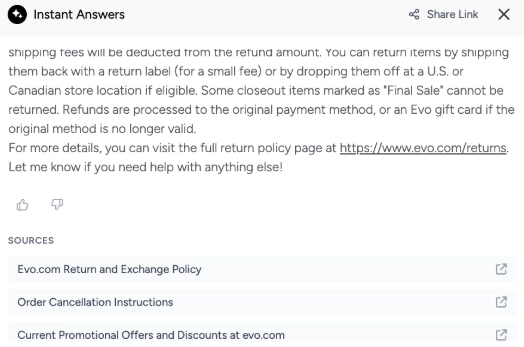
When clicked, the source documents open in a new tab.
Show document as source
Citations are only displayed when the source has been marked as accessible in the documents menu.
You can control whether a specific document is able to be shown to customers. This setting is enabled by default.
Disabling the checkbox does not prevent alby from using the document as a source, but it does prevent your agent from showing the document to customers.
To disable the document as a source shown to customers, follow these instructions:
Navigate to {{snippet.Knowledge} > Documents.
Select a document from the list.
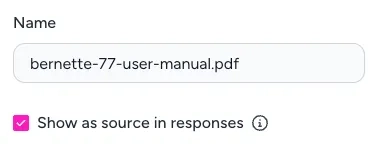
Click the checkbox labeled Show as source in responses.
For more on the settings and options for each document, see Add company and product documents to alby.